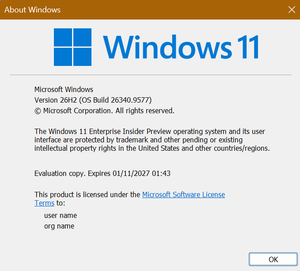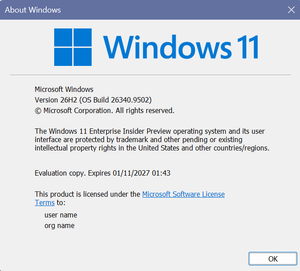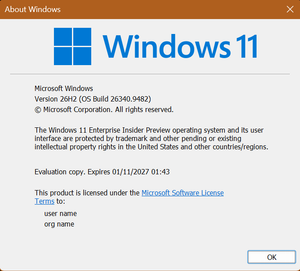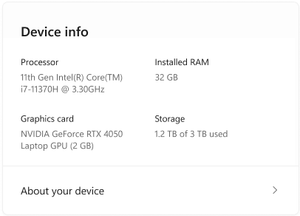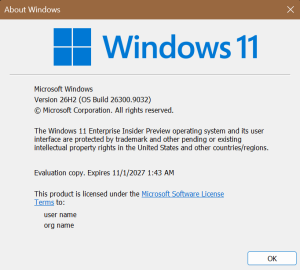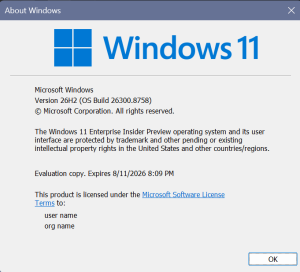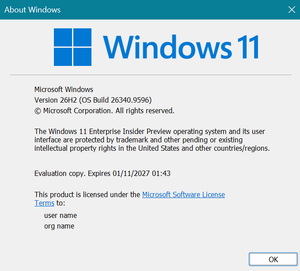
Hi all, last Friday Microsoft released Windows 11 Build 26300.8553 to the Experimental Channel. Some nice Startmenu improvements are rolling out (gradually) In a strange turn of events, two of my devices on this channel were signed out of the Teams app after upgrade Happy Flighting! Changes and improvements gradually being rolled out [Start menu] …
Category: Dev Channel (Experimental)
May 25
Windows 11 Insider Experimental Preview Build 26300.8497
Hi all, last Friday Microsoft released Windows 11 Build 26300.8497to the Experimental Channel. intresting feature rolled out to my devices: choosing a date to pause updates: Happy Upgrades! Changes and improvements gradually being rolled out [Narrator] Braille displays now connect instantly with Narrator [Accessibility] New accessibility setting: Screen tint Feedback: Share your thoughts in Feedback Hub (WIN …
May 16
Windows 11 Insider Experimental Preview Build 26300.8493
Hi all, last night Microsoft released Windows 11 Build 26300.8493 to the Experimental Channel. After a slight delay in release the update rolled out smoothly on all my Experimental Channel devices. keep in mind pc reset in this build and the experimental 26h1 channel currently have a known issue with local reset, select cloud option …
May 09
Windows 11 Insider Experimental Preview Build 26300.8376
Hi all, last Friday Microsoft released Windows 11 Build 26300.8376 to the Experimental Channel. Upgrades went smooth on all my Experimental Channel devices, Edu Upgrade from Home to Pro Education Edition is a nice supprise The new Run dialog introduced in the previous build looks great. One piece of feedback I’ve submitted is that the …
May 03
Windows 11 Insider Experimental Preview Build 26300.8346
Smooth updates on my Experimental channel devices, the new run dialog looks awesome (you need to turn it on in Settings > System > Advanced) Happy Upgrades! Changes and improvements gradually being rolled out [Widgets is quiet by default] We’re working to make Widgets feel less distracting and overwhelming by making the experience quiet by …
Apr 26
Windows 11 Insider Experimental Preview Build 26300.8289
Hi all, Last Friday Microsoft released Windows 11 Insider Experimental Preview Build 26300.8289 Check this post for more info on the changes taking place: New Channels and a New Home for Build Release Notes Fast en smooth upgrades on my Experimental channel devices, Changes and Improvements gradually being rolled out [Windows Insider Program channel movement] As …
Apr 26
Windows Insider Program: New Channels and a New Home for Build Release Notes
Microsoft is making some important changes to the Windows Insider Program. These updates are meant to make the program easier to follow, reduce confusion around channels, and centralize where Insider build information lives. If you’re running Insider builds or just tracking what’s coming next in Windows, this is worth paying attention to. What’s changing in …
Apr 19
Announcing Windows 11 Insider Preview Build 26300.8276 (Dev Channel)
Hi all, last Friday Microsoft released Windows 11 Insider Preview Build 26300.8276 (KB 5083726) to the Dev Channel. Last week I reset a couple of devices with the 25H2 recovery image, after upgrading to Dev Channel, using Windows key + Shift + S to grab a screenshot, app picker showed up to select screen snipping or …
Apr 12
Announcing Windows 11 Insider Preview Build 26300.8170 (Dev Channel)
Hi all, last Friday Microsoft released Windows 11 Insider Preview Build 26300.8170 (KB 5083632) to the Dev Channel. In this Dev Channel build, Microsoft makes everyday things smoother: better storage performance, saner UAC prompts, and a long‑overdue FAT32 limit increase up to 2 TB.There’s also a clearer Secure Boot status view and some nice usability fixes in …
Apr 06
Announcing Windows 11 Insider Preview Build 26300.8155 (Dev Channel)
Hi all, last Friday Microsoft released Windows 11 Insider Preview Build 26300.8155 (KB 5083822) to the Dev Channel. Haptic feedback starting to do more from this build is amazing, subtitle feedback on the trackpad when hovering the X or aligning images in PowerPoint, easily gives an extra dimension to interacting with your device with ease. I had …