Category: Tips

New MS Paint is rolling out to Canary & Dev channels

Share this post:

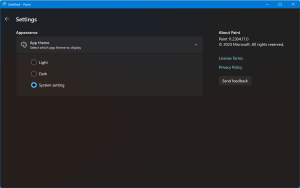
Hi everyone! I’m super excited to share with you some amazing news: Microsoft Paint finally has a dark mode! 🎉 If you’re like me, you love using Paint for your creative projects, but sometimes the bright white background can be a bit harsh on your eyes. Well, not anymore! With the new dark mode feature, …

Continue reading

Share this post:

The Windows 11 Right-Click menu

Share this post:

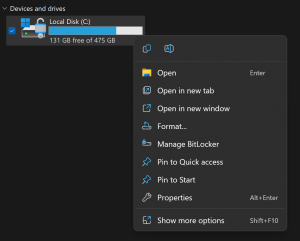
One of the most noticeable changes in Windows 11 is the new right-click menu that appears when you click on a file, folder, or desktop. The new menu is more compact and modern, with rounded corners and icons for common actions. It also integrates with Microsoft’s cloud services, such as OneDrive and Teams. Here are …

Continue reading

Share this post:

Use Winget to update your 3rd party applications the easy way.

Share this post:

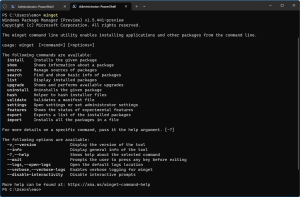
Patching 3rd party apps is often forgotten eighter due to an unused app or an app that has no auto update functionally built-in. This poses a vulnerability threat to your device. Winget is a command-line tool that allows users to discover, install, update, remove and configure applications on Windows 10 and Windows 11 computers. It …

Continue reading

Share this post:

Retreive & install oem bios Windows License key

Share this post:

Having trouble with your Windows activation on an OEM device? You might be able to fix it by retrieving the key from the bios. Run this in Powershell (Elevation should not be needed) If your device came with a license this command will show the key (looks like this: XXXXX-XXXX-XXXXX-XXXXX-XXXXX) Next you’ll want to check …

Continue reading

Share this post:

New Windows Build not showing up?

Share this post:

Running the previous build of Windows 11 or Windows 10 and the new build is not showing up for you? Checked updates in setting with no new build available? This might be due to policies set on your device trough Group policies or Intune set by you company admin. If those are not interfering with …

Continue reading

Share this post:

Splitting Audio from a Video File – ClipChamp

Share this post:

Need to split audio from a video file or just remove the sound track? This has become quite easy with the new inbox Windows 11 app ‘Clipchamp – Video editor’ If the app has not landed on your device yet or was removed, you can grab it in the Microsoft Store > here < lots …

Continue reading

Share this post:

Deleted shortcuts by Attack Surface Reduction rule

Share this post:

Yesterday, January 13th an unintentional impact was triggered by a pattern update (1.381.2140.0) to users that had the ASR rule “Block Win32 API calls from Office macro” set to block mode. The impact was hard to miss, shortcuts pinned to taskbar & in the start menu went missing. The best thing to do was change …

Continue reading

Share this post:

Delete OEM drivers (to enable memory integrity)

Share this post:

On Windows 10/11 when memory integrity cannot be switched on due to incompatible drivers, you can use pnputil.exe to remove the affected OEM drivers Open Windows Security Select Device Security Select the Core isolation details Set the slider to ON to enable core isolation If any incompatible (old) drivers are on the system, you will …

Continue reading

Share this post:

The #Windows11 context menu

Share this post:

Windows 11 introduced the new context menu (right-click menu) The new menu has the most used options instantly available where the less used options are ‘hidden’ behind the ‘Show more options’ extra click For me the new menu took some getting used to, but once embraced it’s very nice to use! Not everyone has gotten …

Continue reading

Share this post:

Best Practice Analyser – ‘Warning’ Short file name creation should be disabled – Configuration

Share this post:

Disabling Short filename Creation frees up performance for other file server tasks This will stop NTFSfrom generating the 8 char filename alias for all files (only required for very old software) Example: Query the current state for the setting: To disable the function, change the following registry value & reboot the system HKEY_LOCAL_MACHINE\SYSTEM\CurrentControlSet\Control\FileSystem NtfsDisable8dot3NameCreation Set …

Continue reading

Share this post: