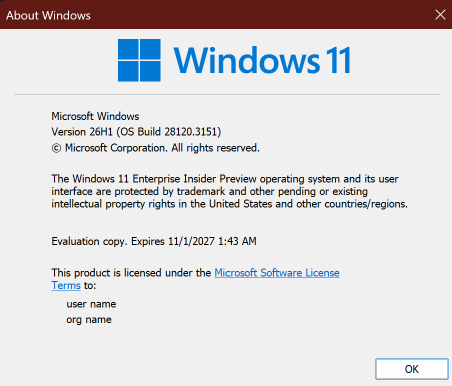
Hi all, last Friday Microsoft released Windows 11 Build 28120.3151 to the Experimental (26H1) Channel
Smooth and fast flights for all my devices in this channel, the cloud rebuild option works great !
Changes and improvements gradually being rolled out*
- This update includes a small set of general improvements and fixes that improve the overall experience for Insiders running this build on their PCs.
[Windows Magnifier]
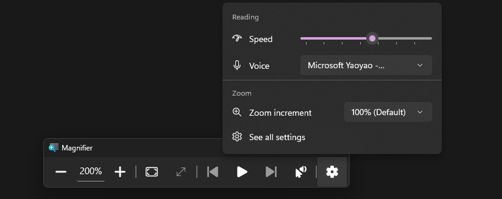
- Magnifier now gives you more control over how you zoom. You can type an exact zoom percentage directly in the Magnifier toolbar to land on precisely the level you need.
- We’ve also added preset step increments (5%, 10%, 25%, 50%, 100%, 150%, 200%, and 400%) to the Settings dropdown, so you can jump to common levels in a single click. Whether you need a subtle boost or a dramatic close-up, Magnifier adapts to how you want to zoom.
[Cloud rebuild]
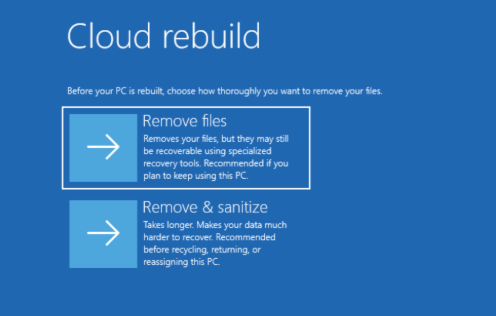
- We’re updating Cloud rebuild, the recovery option that restores a Windows 11 PC to a clean, known-good state by performing a full OS reinstall, with two additions.
- Cloud rebuild can now sanitize the device’s drives as part of the rebuild. When you start a rebuild in WinRE, choose Remove files if you’re keeping the PC, or Remove & sanitize files before recycling, returning, or reassigning it. The sanitize option uses the storage hardware’s erase capability to securely erase data before Windows is reinstalled and is irreversible.
- IT administrators can now configure and start a Cloud rebuild remotely through the Recovery CSP, using either the currently installed build or a target build you specify.
[File Explorer]
- Customizations
- Improved File Explorer to keep folder view customizations, such as sorting and icon size preferences, consistent across different access paths and apps.
- Address bar improvements
- The address bar now supports paths containing double backslashes and quotation marks, for example,
C:\Users\useror"C:\Users\user", improving compatibility with a wider range of inputs. - Improved reliability of the address bar suggestion dropdown so it now consistently closes after an item is selected.
- The address bar now supports paths containing double backslashes and quotation marks, for example,
- Refinements to the rename experience
- Fixed an issue where text would be repeatedly selected while renaming items in folder views.
- Fixed an issue where updated names with case-only changes weren’t immediately reflected in folder views across local and cloud storage.
source: Flight Hub