
Hi all, last Friday Microsoft released Windows Insider Preview Build 29570.1000 to the Windows 11 Insider Canary Channel on the optional 29500 build series.
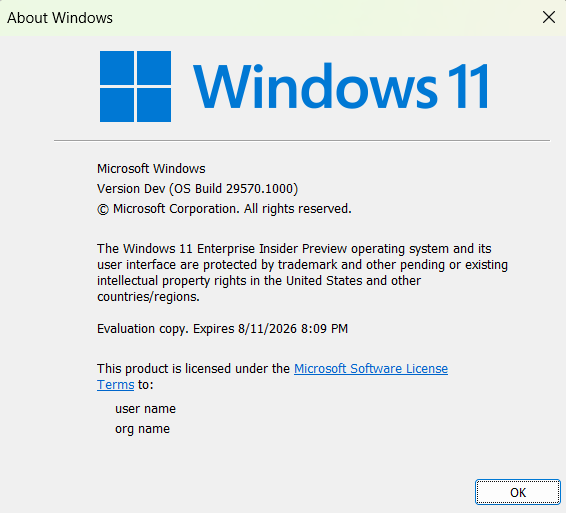
lots of goodies for the Opt-in Canary Channel this week, smooth updates on all my opt-in devices.
WLAN AutoConfig service keeps crashing on my Surface 13inch even after clean recovery-image install and upgrade to 29000 builds, same build on Surface Laptop 7 does not show this behavior (Feedback Hub: https://aka.ms/AA108g1p)
Happy Upgrades!
What’s new in Canary Build 29570.1000
Changes and Improvements gradually being rolled out with toggle on*
- This update includes platform changes in moving to a new active development build.
[Gaming]
- Xbox mode is now available on Windows 11 PCs, including laptops, desktops, and tablets. Inspired by the Xbox console experience, Xbox mode offers a streamlined, full‑screen interface that puts your games front and center while minimizing background distractions. Xbox mode is designed for those moments when you want to lean back, pick up a controller, and focus on the game. Enter Xbox mode from the Xbox app, Game Bar settings, or by pressing Win + F11. For more information, see Full screen experience expands to more Windows 11 PC form factors.
Feedback: Share your thoughts in Feedback Hub (WIN + F) under Gaming and Xbox > Xbox Mode.
[Policy-Based Removal of Preinstalled Microsoft Apps]
- This update adds support for a dynamic app removal list to the “Remove Default Microsoft Store packages” policy for Windows Enterprise and Education. Administrators can remove additional MSIX/APPX-packaged apps by specifying their app package family names using Group Policy. The dynamic list is not currently available in Intune Settings Catalog. Validation must be performed using Group Policy or custom OMA-URI. For more information, see Policy-based in-box app removal.
Feedback: Share your thoughts in Feedback Hub (WIN + F) under Developer Platform > App Deployment.
[Context Menu]
- When right clicking on a .exe, .bat, or .cmd file, the context menu’s “Open” verb will now match the icon associated with the file’s default app.
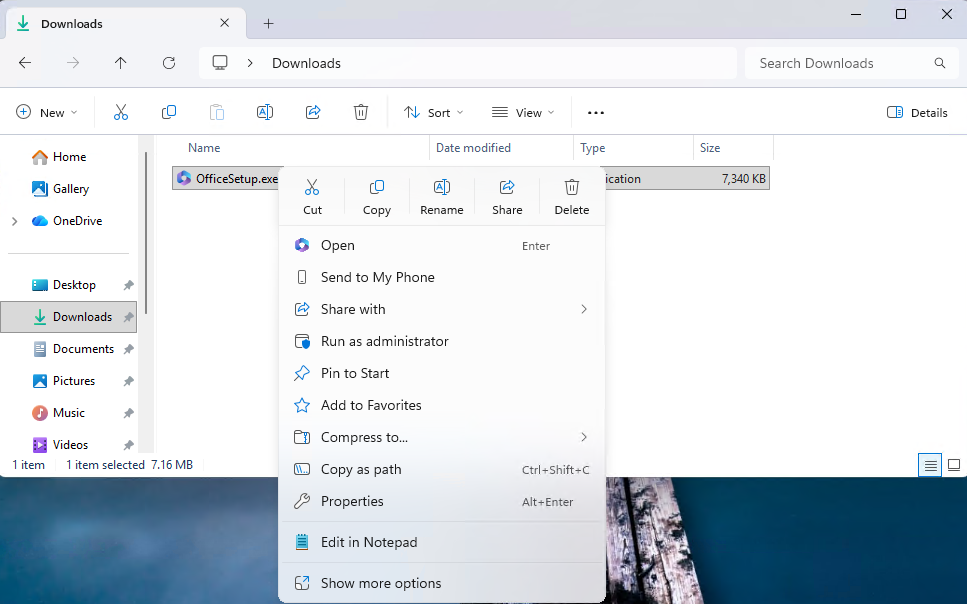
Feedback: Share your thoughts in Feedback Hub (WIN + F) under File Folders and Online Storage > File Explorer.
[Touchpad]
- We’re adding a new setting in Settings > Bluetooth & Devices > Touchpad so you can choose how large the right-click zone size is (this is the portion in the bottom-right of your touchpad where pressing a single finger will result in a right-click), between default, small, medium, and large. Note – this setting only appears for touchpads that have a pressable surface for this. Some manufacturers may provide customization for this in their own apps – if you’ve customized your setting using an app like this, a “Custom” entry will be added to the dropdown, which preserves that value.
Feedback: Share your thoughts in Feedback Hub (WIN + F) under Input and Language > Touchpad.
[Lock screen]
- More widget options and support for lock screen widget personalization (previously referred to as “Weather and more”) are rolling out. After initial launch with Windows Insiders in the European Economic Area (EEA), these updates are expanding to all regions. You can add, remove, and rearrange lock screen widgets such as Weather, Watchlist, Sports, Traffic, and more. Any widget that supports the small sizing option can be added. To customize your lock screen widgets, go to Settings > Personalization > Lock screen.
FEEDBACK: Please file feedback in Feedback Hub (WIN + F) under Desktop Environment > Lock screen.
[Input]
- Pen settings: we have made refinements to the Pen settings page including small changes to the options for the pen tail button. A new option, “Same as Copilot key”, enables the pen tail button to launch the same app as the Copilot key.
Feedback: Share your thoughts in Feedback Hub (WIN + F) under Devices and Drivers > Bluetooth – Keyboards, Mice, and Pens.
source: Windows Blogs