
The new Windows Insider Webcast will be live October 25th get your calendar reminder below October webcast Tue, 10/25/2022at 5 PM UTC | 10 AM PDT Save invite to your calendar

Oct 08

Hi all, last Thursday Microsoft released Windows 11 Insider Preview Build 25217 to the Dev Channel. Upgrades went sooth here, Keep an eye on your Phishing protection in Windows Security, still turned back off after upgrading it seems (https://aka.ms/AAi6ain) @WindowsInisder program turned 8 this month, be on the lookout for this new badge. What’s new Developers …
Sep 17
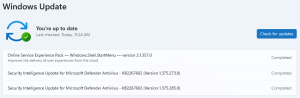
Hi all, last Wednesday Microsoft released Windows 11 Insider Preview Build 25201 to the Dev Channel. All updates went smooth here, noticed a cache issue since a few builds, with settings app open, check for updates & leave the app open (can be minimized) after a while all updates that have passed are stacked up as ‘completed’, …
Sep 10

Hello Windows Insiders, today we are releasing Windows 11 Insider Preview Build 25197 to the Dev Channel. What’s new Tablet-optimized taskbar We’re re-introducing the touch-optimized taskbar that’s designed to make you feel more confident and comfortable using your device as a tablet. Your taskbar will automatically transition to this optimized version when you disconnect or fold back the keyboard on …
Aug 13
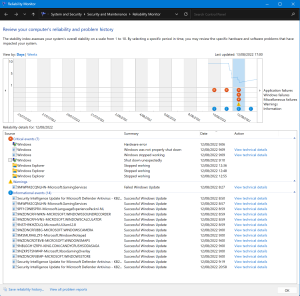
When issues arrise on a Windows device many of us dive into the eventlogs, check when latest updates were installed, when the device was restarted, how often does a certain app crash… This can be quite a job filtering through logs, looking up info at numerous locations. Windows has a built-in tool that does a …
Aug 13
Hi all, last Wednesday Microsoft released Windows 11 Insider Preview Build 25179 to the Dev Channel. Smooth & fast upgrade on all but 1 of my devices, one needed to retry the operation (try again before the reboot) & was successful the 2nd time GSOD on intel drivers is still happening on this build for my Surface …
Aug 06

Hi all, last Wednesday Microsoft released Windows 11 Insider Preview Build 25174 to the Dev Channel. Smooth & fast upgrades here on all devices The taskbar overflow aligns to the left of the screen which is a bit strange (Feedback Hub: https://aka.ms/AAhm90w) Happy upgrading! What’s new Introducing the new Game Pass Widget PC Game Pass and Windows are …
Jul 23

Bug Bashing on the #Windows11 Beta Channel – join me in testing & sending feedback available July 20th to 25th (PDT) #WindowsInsiders #WIMVP #WIMVPBenelux @aavdberg @JamesvandenBerg @windowsinsider @JenMsft @NorthFaceHiker @brandonleblanc @amanda_lango 🪲🔨🎉🎊😎 pic.twitter.com/dOwo6IMzal — Erik Moreau #WIMVP #MODERNDESKTOP 🇧🇪 (@ErikMoreau) July 23, 2022
Jul 23
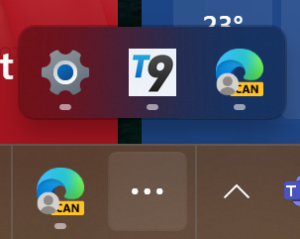
Hi all, Last Wednesday Microsoft released Windows 11 Insider Preview Build 25163 to the Dev Channel. Upgrades went smooth a fast here, the taskbar overflow needed an extra reboot before it appeared so if you want to test it, after upgrade do an extra reboot to trigger it. Taskbar overflow is very nice, this was a missing …