Hi all, last Friday Microsoft released Windows 11 Insider Preview Build 27919 to the Canary Channel. Triple channel Friday as not only Canary but also Dev & Beta got new builds. Canary updates went through smoothy on all my devices, some nice new updates & tweaks in this one Happy Upgrades! Changes and Improvements [Windows Search] Fixes …
Category: Insiders
Aug 10
Announcing Windows 11 Insider Preview Build 26200.5742 (Dev Channel)
Hi all, last Friday Microsoft released Windows 11 Insider Preview Build 26200.5742 (KB5064075) to the Dev Channel. 3 Channel Friday update party 🙂 Dev, Canary and Beta got a new build the same day. All my Dev channel devices updated fast and smoothly. Happy Upgrades! Changes and Improvements gradually being rolled out to the Dev Channel with toggle …
Aug 02
Announcing Windows 11 Insider Preview Build 27913 (Canary Channel)
Hi all, last Wednesday today we are releasing Windows 11 Insider Preview Build 27913 to the Canary Channel. Smooth update on all Canary Channel devices Happy Upgrades! Changes and Improvements [General] [Input] [Settings] Fixes [General] [Desktop background] [Settings] [Audio] [Other] Known issues [General] source: Windows Blogs
Aug 02
Announcing Windows 11 Insider Preview Build 26200.5722 (Dev Channel)
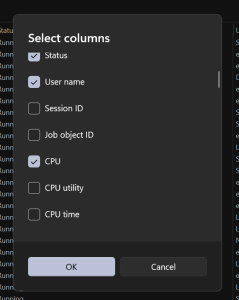
Hi all, last Monday Microsoft released Windows 11 Insider Preview Build 26200.5722 (KB5062669) to the Dev Channel. Quick and smooth updates on my Dev Channel devices except for Recall being disabled after the 1st boot pointing to needed updates (https://aka.ms/AAxfl3z) was fixed after rebooting the device again. Happy upgrades! New Copilot+ PC experiences Introducing the new agent …
Jul 26
Announcing Windows 11 Insider Preview Build 27909 (Canary Channel)
Hi all, lats nigh Microsoft released Windows 11 Insider Preview Build 27909 to the Canary Channel. A quick update to fix some known issues with the previous build. Happy Upgrades! Changes and Improvements [General] Fixes [Administrator Protection] [Settings] [Remote desktop] [Other] Known issues [General] [Settings] source: Windows Blogs
Jul 19
Announcing Windows 11 Insider Preview Build 26200.5710 (Dev Channel)
Hi all, Yesterday Microsoft released the 2nd build this week in the Dev Channel Windows 11 Insider Preview Build 26200.5710 (KB5062676) to the Dev Channel. Glad to see the new Copilot+ option to describe images roll out to Intel and AMD se quickly Quick and smooth upgrades on all my Dev Channel devices. Happy Upgrades! New Copilot+ …
Jul 19
Announcing Windows 11 Insider Preview Build 27902 (Canary Channel)
Hi all, Last Thursday Microsoft released Windows 11 Insider Preview Build 27902 to the Canary Channel. ISOs for this build – they can be >downloaded here<. All devices upgraded without issues on my Canary Channel devices Changes and Improvements [General] Fixes [File Explorer] [Camera] Known issues [General] [Settings] [Remote Desktop] source: Windows Blogs
Jul 19
Announcing Windows 11 Insider Preview Build 26200.5702 (Dev Channel)
Hi all, Last Monday Microsoft released Windows 11 Insider Preview Build 26200.5702 (KB5062653) to the Dev Channel. Cool new Copilot+ PC features got added Happy Upgrades! New Copilot+ PC experiences [UPDATED 7/16] New describe image action in Click to Do We are introducing a new “describe image” action in Click to Do to get detailed descriptions of images, …
Jul 12
Announcing Windows 11 Insider Preview Build 27898 (Canary Channel)
Hi all, Yesterday Microsoft released Windows 11 Insider Preview Build 27898 to the Canary Channel. More features from the Dev Channel making their way to the Canary Channel, Vista startup sound is still in this build, love this 🙂 All upgrades went smoothly on my Canary devices, Happy Upgrades! What’s new in Build 27898 Taskbar icon scaling …
Jul 05
Announcing Windows 11 Insider Preview Build 27891 (Canary Channel)
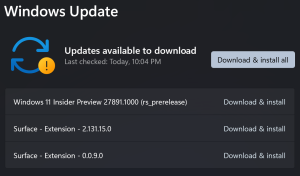
Hi all, last Thursday Microsoft released Windows 11 Insider Preview Build 27891 to the Canary Channel. We also have a Microsoft Store update rolling out to Insiders in the Canary and Dev Channels (details below). Some nice fixes and tweaks in this build, upgrades went through fast and smoothly on my Canary Channel devices together with some Surface …

Sponsored by Aurelium NV

Microsoft Learn

Running on Microsoft Azure