Hi all, last Friday Microsoft released Windows 11 Build 29667.1000 to the Experimental (Future Platforms) Channel
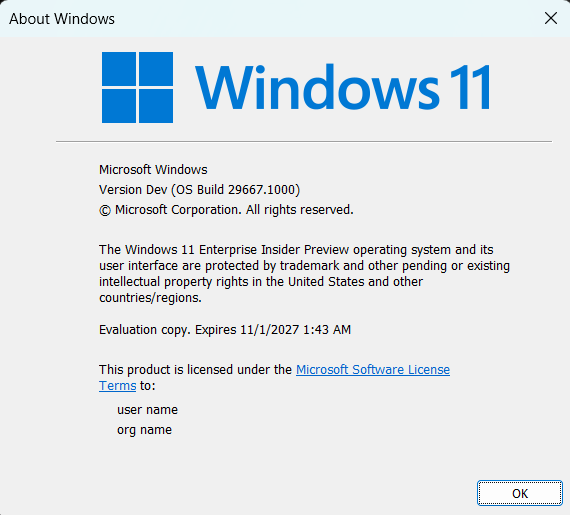
Smooth upgrades to this build, the Lost Pin access has not been fixed yet (Feedback Hub: https://aka.ms/AA13dolt)
Changes and improvements gradually being rolled out*
- This update includes a small set of general improvements and fixes that improve the overall experience for Insiders running this build on their PCs.
[Windows Update]
- Fixed an underlying issue resulting in some Insiders on Arm64 PCs not being able to upgrade to the latest builds and automatically rolling back. As a reminder, 0xc1900101 is a generic error code that can have multiple root causes. If you continue having issues, file a new piece of feedback.
[Emoji]
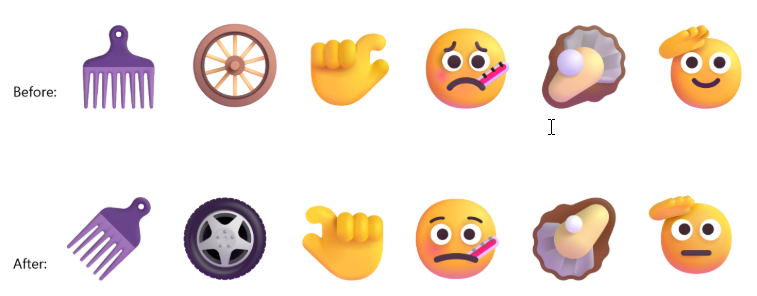
- We’re adding support for Emoji 17.0. This includes new emoji such as distorted face, fight cloud, and hairy creature. To try the new emoji, press the Windows key plus Period (.) to open the emoji panel and insert them from there.

- As part of this effort, we’ve also made some slight adjustments to the design of some of our current emoji to improve consistency across platforms. This includes the saluting face, face with peeking eye, goose, lotus, and kissing cat emoji.
[Touchpad]
- Fixed an issue causing touchpad zoom gestures to not work correctly in certain apps after the latest updates.
[Remote Desktop]
- Fixed an underlying issue causing some Insiders to see graphics card error 0x11 when attempting to use Remote Desktop in the latest updates.
[Run]
[Taskbar]
[Network]
- Fixed an issue resulting in some Insiders seeing an unexpected “The service to detect this status is disabled” message when opening Network and Sharing Center after the latest updates.
- Fixed an underlying issue resulting in some Insiders not being able to connect to certain Wi-Fi types after the latest updates. File a new piece of feedback if you continue experiencing issues, including a recording of the issue if possible.
[Settings]
[Known issues]
- We’re investigating an issue where VMware Workstation Pro 17.6.4 may display a blank window when reopening a virtual machine after it has been created and closed. We are working on a fix and will provide an update in a future build.
- We’re also aware of and investigating reports of VMWare devices green screening
source: Flight Hub