Hi all, last Friday Microsoft released Windows 11 Build 26340.9482 to the Experimental Channel
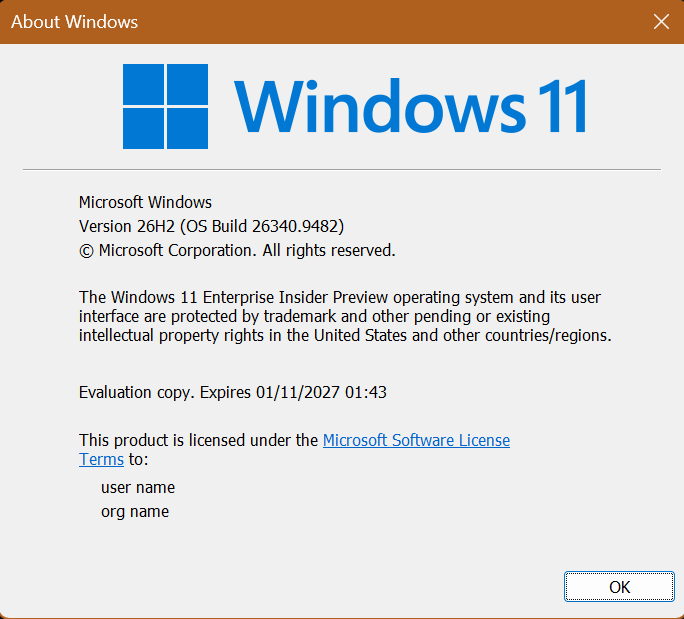
A 2nd flight in the same week smooth install here on all devices.
Changes and improvements gradually being rolled out
[Security]
- Memory Integrity protection expands automatically to more eligible devices. As outlined in our recent blog, Windows might now enable Memory Integrity (HVCI) during updates on supported PCs to help improve security and prepare devices for advanced Windows security features, while respecting existing user or IT administrator choices.
[Context menu]
Building on the work we’ve been doing to improve the context menu experience:
- We’ve added a new teaching tip you might see as a first-time experience to help you learn about the customization options.
- In theme with giving you more control, you can also now turn off the customize context menu entry in the new context menu settings.
- We’ve fixed a few small issues with the Send To option in the context menu not working as expected.
[File Explorer search]
- Search from This PC in File Explorer is now indexer-based, making it much faster and consistent with search from File Explorer Home.
[Taskbar]
[Screen capture]
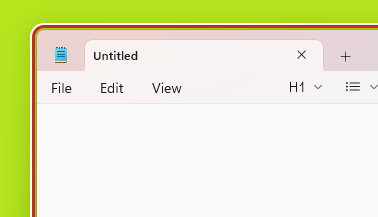
- We updated the visual indicator shown during screen capture, changing the capture border from yellow to
- red to make active capture sessions easier to identify.
[Settings]
- Made some small visual adjustments to improve the design of the Temporary files page under Settings > System > Storage.
- Fixed an issue causing mouse cursor customization to not work correctly after the latest flights.
- Fixed an issue causing desktop background customization to not persist after a reboot after the latest flights.
[Brightness]
- Fixed an underlying issue resulting in some Insiders experiencing issues with brightness after the latest flights, including brightness settings being unexpectedly grayed out. File a new piece of feedback with as many details as possible if you continue experiencing issues.
source: Flight Hub