
Hi all, last Friday Microsoft released Windows 11 Build 28120.2630 to the Experimental (26H1) Channel
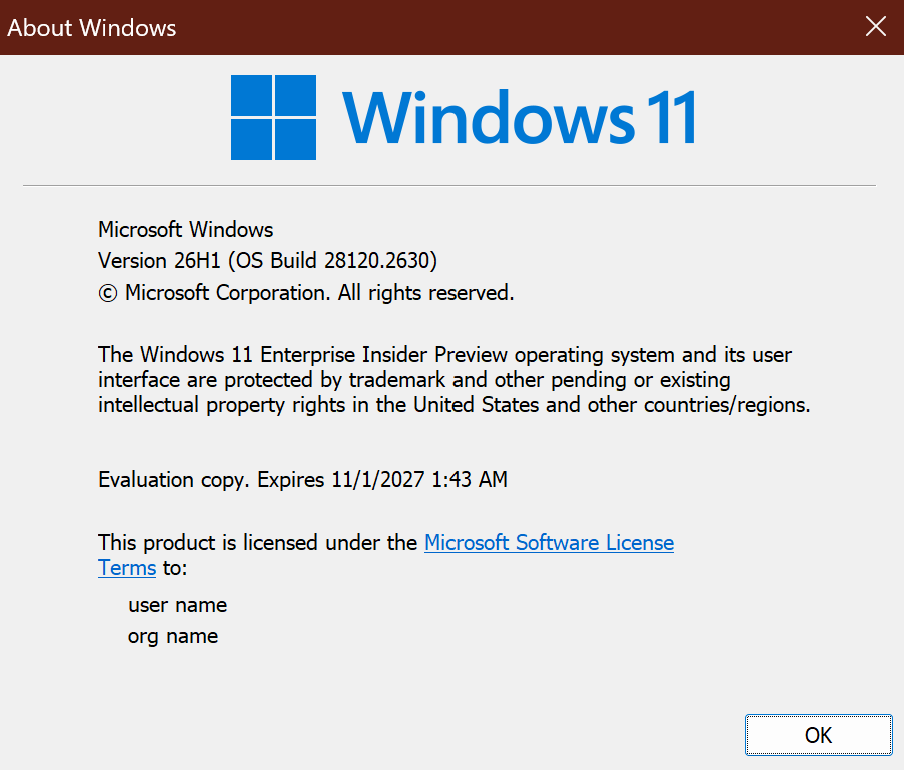
The new build expiry is visible on the screenshot 11/1/2027
Changes and improvements gradually being rolled out*
- This update includes a small set of general improvements and fixes that improve the overall experience for Insiders running this build on their PCs.
[Windows Update]
- As announced in the Windows Update announce blog, we are now bringing a new unified update experience to reduce the number of reboots you see per month. We are starting by coordinating driver, .NET, and firmware updates to align with the monthly quality update, reducing the update experience to a single monthly restart. See the blog for more information.
- We’re also adding the ability to extend update pauses as many times as you need.
[Certificate renewal for Windows Insiders]
- This build includes the renewed Windows Insider flight certificate. Windows Insider Preview builds use flight certificates that are renewed periodically to help ensure Insider devices remain on supported builds and continue receiving future Insider Preview updates. The current flight certificate expires on August 11, 2026, so please update your device to this build or a later one containing the renewed flight certificate before that date.
- For more information, see aka.ms/WIPCertExpiry.
[Adaptive hibernate policy]
- Updates to the adaptive hibernate policy increase instances of instant-on resumes from Modern Standby and increase battery preservation at the low end of the battery. Noticeable changes include less hibernation while the battery is above 80% and hibernating sooner when the battery is below 10%.
[Touchpad]
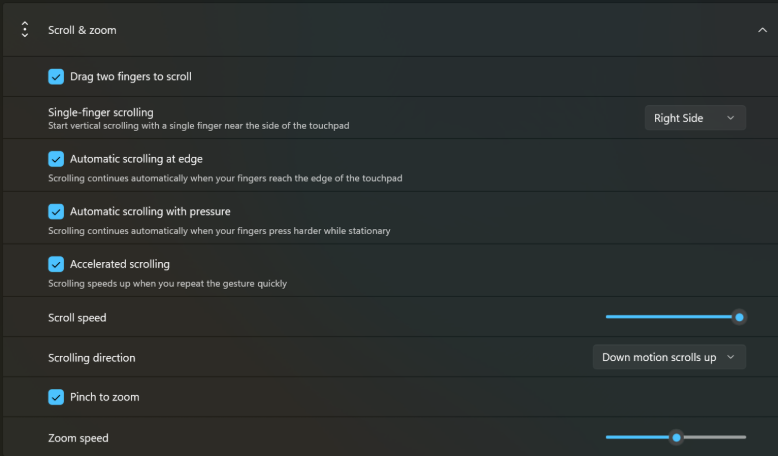
- We’re adding new gesturing-related functionality to precision touchpads in Settings. The new features should be widely available across applications, with the exception that WinUI3-based UI requires new WinAppSDK versions for complete functionality. We’re in the process of bringing the necessary changes to versions 1.8 and 2.0.
- Scroll and zoom speed: Control the baseline speed for these gestures.
- Accelerated scrolling: Repeatedly scrolling increases their speed, allowing quick traversal of long documents.
[Storage]
- This update fixes an issue that affects File History automatic backups to network shares using Server Message Block (SMB). Backups didn’t work because Windows showed a false “invalid credentials” error when connecting to SMB shares.
[File Explorer]
- This update addresses an issue where files stored on a DFS mapped drive could be incorrectly treated as originating from the internet after the device started while disconnected from the network and later reconnected. This could cause File Explorer’s Preview pane to display the message, “The file you are attempting to preview could harm your computer,” or cause files copied from the DFS drive to receive an unexpected Mark of the Web.
[Input]
- Fixed an issue causing the mouse cursor to blink repeatedly for some Insiders after the latest flights.
- Improved persistence of voice typing settings for automatic punctuation and launcher.
Known issues
[Known app compatibility issue]
PUBG: BATTLEGROUNDS
- Due to a known compatibility issue with PUBG: BATTLEGROUNDS, Windows Insiders might be prevented from launching the game after installing this build. This safeguard has been put in place to help avoid stability issues while we work with the game developer on a fix. We’ll share additional details and timing for the resolution as they become available.
source: Flight Hub