
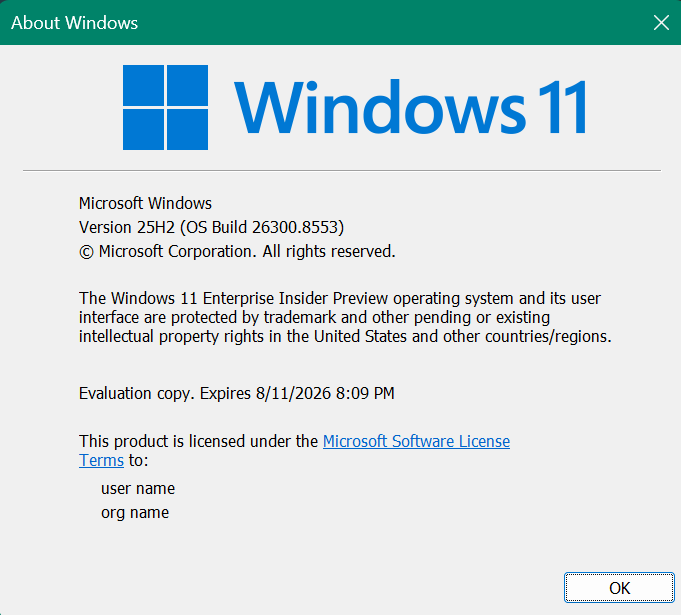
Hi all, last Friday Microsoft released Windows 11 Build 26300.8553 to the Experimental Channel.
Some nice Startmenu improvements are rolling out (gradually)
In a strange turn of events, two of my devices on this channel were signed out of the Teams app after upgrade
Changes and improvements gradually being rolled out
[Start menu]
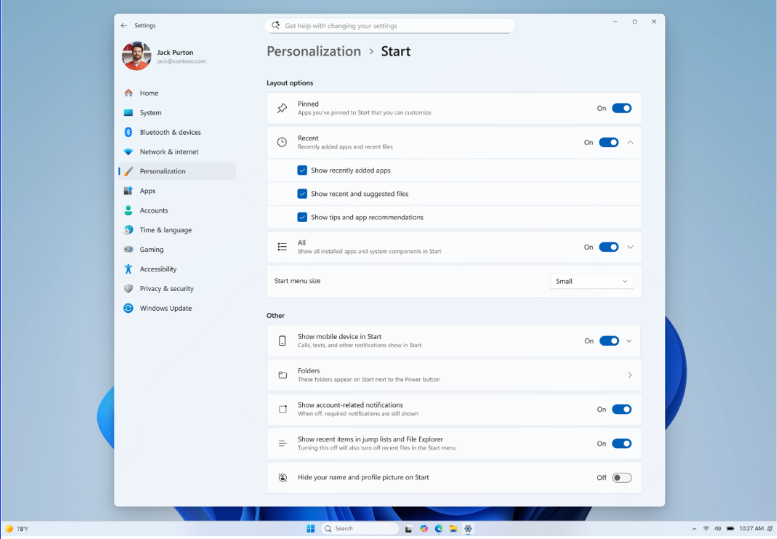
This update brings a number of improvements for the Start menu as first outlined in the Making Taskbar and Start more personal Insider blog. This includes:
- Renamed “Recommended” section to “Recent” in Start and Settings page
- Section-level toggles to independently show or hide Pinned, Recommended, and All.
- Choose between a small and large Start menu, in addition to “Automatic (default)” setting option that’s already available today
- The option to hide your name and profile picture in Start
- Redesigned Start menu settings page
Feedback: Share your thoughts in Feedback Hub (WIN + F) under Desktop Environment > Start
[Search]
- Search by Substring: Files with compound names or content (e.g., MeetingNotesApril, ProjectStatusReport) are now easily discoverable by typing “april” or “status”.
[Taskbar]
- Fixed a few small visual polish issues when using the taskbar in alternate positions. Thanks Insiders that have been sharing feedback so far!
- You can now use a touch swipe to invoke the taskbar when using alternate taskbar positions.
Known Issues
[Reset PC]
- [Fixed] Resetting your PC may get stuck when using “Reset this PC.” To complete the reset successfully, choose the cloud download option (Cloud PBR) instead of local.
source: Flight Hub