
Hi all, last Friday Microsoft released Windows 11 Build 26300.8376 to the Experimental Channel.
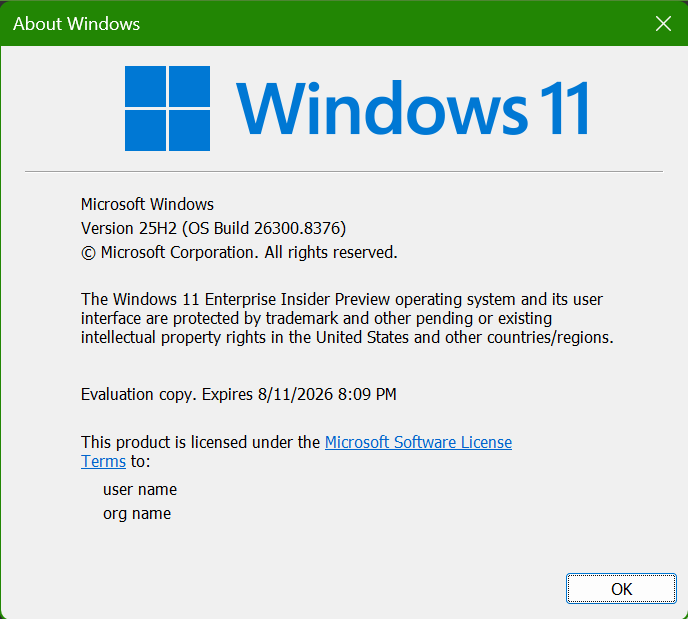
Upgrades went smooth on all my Experimental Channel devices,
Edu Upgrade from Home to Pro Education Edition is a nice supprise
The new Run dialog introduced in the previous build looks great. One piece of feedback I’ve submitted is that the history doesn’t resolve URLs unless they start with www. For example, to open https://entra.microsoft.com/, you now have to type the full https:// prefix. This worked in the old Run dialog, and I’d really like to see that behavior return in the new one. (FeedBack Hub: https://aka.ms/AA10w30b)
Changes and improvements gradually being rolled out
[Touchpad]
We’re adding new gesturing-related functionality to precision touchpads in Settings. The new features should be widely available across applications, with the exception that WinUI3-based UI requires new WinAppSDK versions for complete functionality – we’re in the process of bringing the necessary changes to versions 1.8 and 2.0.
- Scroll / zoom speed: control the baseline speed for these gestures
- Automatic scrolling: scrolling continues indefinitely without lifting your fingers. Activate by either bringing your fingers near the edge of the touchpad while scrolling, or holding them still and pressing harder (requires hardware support).
- Accelerated scrolling: repeatedly scrolling increases their speed, allowing quick traversal of long documents.
- Single-finger scrolling: perform a vertical scroll with a single finger starting from the left or right side of the touchpad.

Touchpad improvements bring new gesture capabilities including automatic scrolling, gesture speed controls, accelerated scrolling, and optional single-finger scrolling support.
[File Explorer]
We’ve made several updates to improve reliability, readability, and overall usability in File Explorer:
- Address Bar improvements
- The address bar now supports paths containing double backslashes and quotation marks (for example, C:\Users\user or “C:\Users\user”), improving compatibility with a wider range of inputs.
- Improved reliability of the Address Bar suggestion dropdown so it now consistently closes after an item is selected.
- More readable file size formatting
- File sizes in the Details view now display using appropriate units (KB, MB, GB) instead of KB-only, making them easier to understand at a glance.
- Refinements to the rename experience
- Fixed an issue where text would be repeatedly selected while renaming items in folder views.
- Fixed an issue where updated names (case-only changes) were not immediately reflected in folder views across local and cloud storage.
- Improved keyboard navigation of File Explorer context menu in flyouts.
Feedback: Share your thoughts in Feedback Hub (WIN + F) under Files, Folders, and Online Storage > File Explorer.
[EDU]
Free upgrade path to Windows 11 Pro Education for K-12
Windows Insiders in K–12 education environments can now experience a seamless upgrade path from Windows 11 Home to Windows 11 Pro Education edition—at no additional cost. This enables educational organizations to procure Windows 11 Home devices, upgrade them to Windows 11 Pro Education, and bring devices under school management.
Instructions:
- Sign in to the device using a local account
- Launch an elevated Command Prompt and initiate the upgrade by running Clipupgrade.exe
- Sign in with your K–12 organization account to validate eligibility
- The device prepares the upgrade and completes after a restart
Please note: This upgrade is one-way only. Reverting to Windows Home is not supported without a clean OS reinstall.
Feedback: Share your thoughts in Feedback Hub (WIN + F) under Windows Installation.
[Administrator Protection]
- Improved reliability of Japanese IME usage when Administrator Protection is enabled.
[Other]
- Fixed a WPN hang in the previous flight, which was leading to notification issues and certain apps hanging on launch.
- Improved reliability of loading desktop app icon shortcuts.
source: Flight Hub